Survey App · included in the £95/month core platform with one surveyor seat. Additional surveyor seats £15/month each. Excluding VAT.
01
Quoted and surveyed size comparison
02
Photos, annotations, sketches and voice notes
03
Offline capture with synchronisation
04
Customer declarations and signed reports
Everything recorded here is stored on the same customer and job record used by the CRM, quoting, surveys, production and deliveries.
Surveys, answered
Window surveys, on a phone.
How surveyors measure against the quote with the Fenora Pro survey app.
What
Window & door business software
Price
From £95 / month, excl. VAT
Free trial
60 days, no card needed
Where
UK-operated, used online
Access
Browser, iOS & Android
Contact
hello@fenora.pro
What is the best app for window surveys?
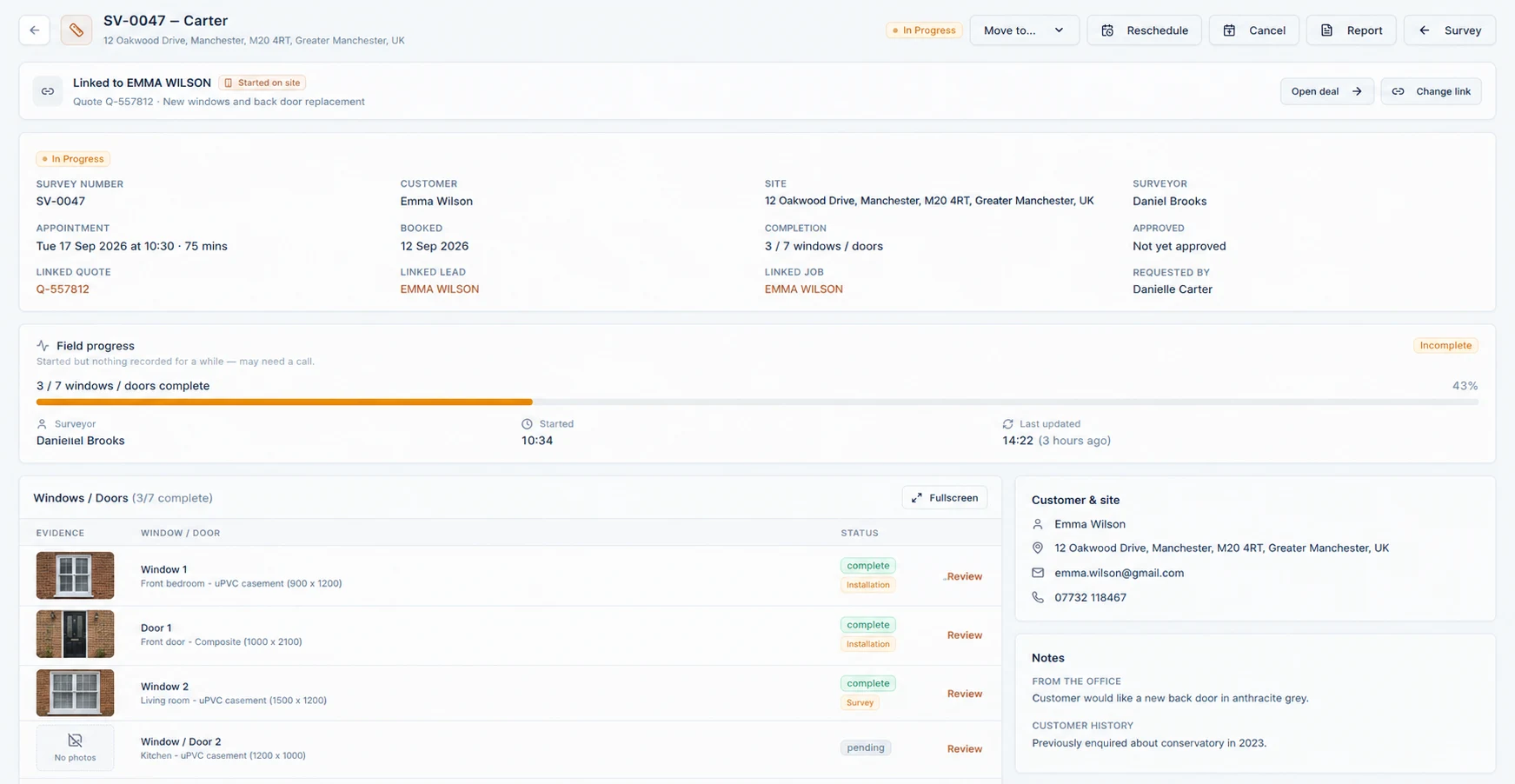
Fenora Pro’s survey app is built for window and door surveys: the surveyor arrives with the quoted specification on a phone, measures each opening against it, and the photos, sketches, notes and signed report go straight back to the Fenora Pro job.
Quoted and surveyed sizes are compared opening by opening.
Photos, annotations, sketches and voice notes are captured on the phone.
Customer declarations and signed survey reports are produced on site.
Included in the £95-a-month core platform with one surveyor seat; extra surveyor seats are £15 a month.
Yes. The Fenora Pro survey app at survey.fenora.pro installs on iOS and Android phones and captures measurements, photos and notes without a signal, then synchronises them to the job when the phone reconnects.
Surveys are booked and assigned to surveyors from the office calendar.
Customers can send their own measurements through a self-survey link.
Differences from the quote come back to the office as variations to review before ordering.
We store only what Fenora needs to work — keeping you signed in, remembering your preferences, and holding survey data on your device while you are offline. No advertising cookies, no cross-site trackers, and only cookie-free, anonymous visit counts.