How to prepare a window survey checklist
Organise a window survey record around clear opening references, measurements, photographs, decisions and outstanding actions.
 Fenora Team4 min read
In this guide
A good survey checklist helps a competent surveyor return with information the office and workshop can actually use. It should not be a long form that everyone rushes through just to reach the signature box.
The most useful checklist follows the work: prepare for the visit, identify each opening, record the relevant information, flag anything unresolved and explain what happens next. The exact technical checks depend on the product, building, installation method and applicable requirements. Use your approved survey procedure and manufacturer guidance; this article is about organising the record, not teaching someone to measure or assess a building safely.
Prepare before the visit Check the address, site contact and access arrangements. Confirm which quotation or schedule the survey relates to, including its revision. Take the relevant drawings and questions with you rather than relying on a customer to find a previous email on the doorstep.
Look for decisions that are still open. These might include a finish choice, an opening arrangement or whether a particular item is included. Keep commercial questions separate from technical observations so they can be passed to the right person afterwards.
If the visit needs special access or an assessment outside the surveyor’s competence, arrange suitable support. A checklist should help identify those limits, not encourage somebody to improvise.
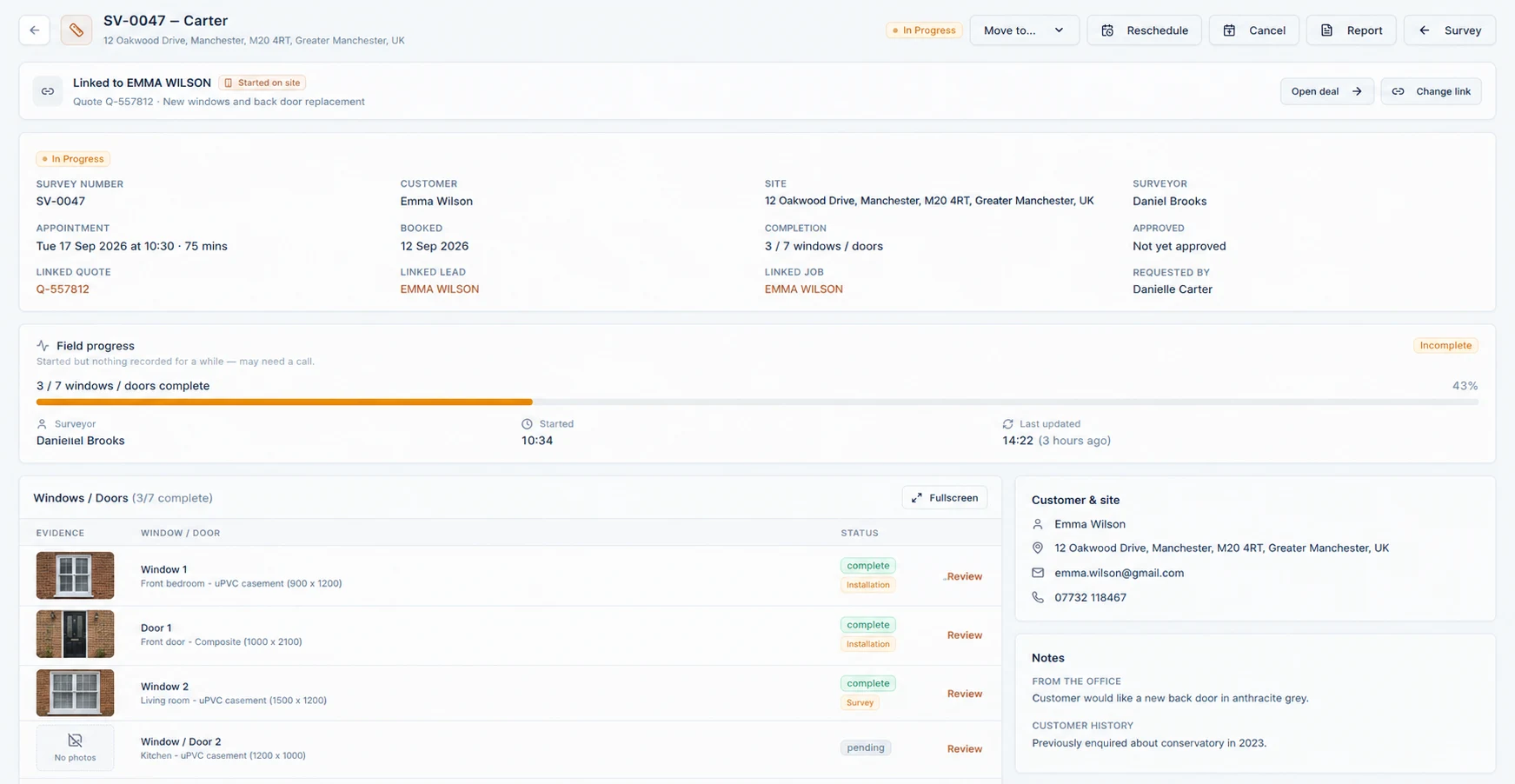
Give every opening a clear identity Use a consistent item reference and a plain location description. “W04, first-floor rear bedroom” is more useful than several photographs all called “bedroom window”. Make the reference match the current quotation or record the difference if the schedule has changed.
Establish the viewing direction used for sketches and opening descriptions. Inside and outside views can reverse what somebody thinks they are looking at. Put that information on the sketch itself so it travels with the image.
If the customer adds an opening during the visit, give it a distinct reference and mark it as additional work requiring review. Do not quietly squeeze it into the nearest existing item.

Record measurements with context Use the measuring method, units and technical checks required by your business and the relevant product. Label what each dimension represents. Do not leave a number that could mean an opening size, a frame size or an approximate figure used for pricing.
Record the relevant conditions around the opening using your approved procedure. Photographs can support the record, but they do not replace measurements or a competent assessment. Where something cannot be verified, say why and identify the follow-up needed.
Never apply a universal manufacturing deduction from a general checklist. The correct approach depends on the actual system and installation. The person releasing an order needs verified information, not an assumption inherited from a generic form.
Capture decisions as well as observations A survey often produces customer choices alongside measurements. Record the agreed option, the item it applies to and whether further approval is needed. A note that says “customer wants a different handle” is unfinished until the actual choice is clear.
If the choice affects the price or delivery plan, route it for commercial review. Do not let a friendly conversation on site become an unpriced instruction to the workshop.
Keep observations factual. “Finish sample not available during visit” is a clear record. “Customer probably happy with standard finish” is not an approval.
Make photographs easy to use Take a useful overall view and relevant details, where it is safe and permitted to do so. Associate each photograph with the opening reference and add a short note when its purpose is not obvious.
Check the pictures before leaving. A blurred close-up may not become obvious until the office tries to understand it on a larger screen. Avoid collecting unrelated personal information or photographing people unnecessarily.
If a photograph shows an issue, explain what the reader should notice. An image alone cannot reliably communicate whether something is a concern, an existing condition or simply background detail.
Finish with a clear outcome A completed visit is not necessarily a job ready for manufacture. End the record with a clear distinction between items checked, choices awaiting approval and matters that need further investigation.
Assign each outstanding action to somebody and explain what closes it. “Check glazing” is vague; “office to confirm the requested glazing specification with the supplier before order release” gives the next person a usable task.
Before leaving site - Item references and locations match the schedule, or differences are recorded. - Measurements and sketches use the agreed method and viewing direction. - Relevant photographs are clear and associated with the right item. - Customer choices are recorded without implying unconfirmed approval. - Unverified conditions and follow-up actions have an owner. - The next step is explained without promising an unconfirmed order or fitting date.
A useful survey record leaves the next person with fewer questions, while making the remaining questions impossible to miss.
Fenora TeamPractical notes for window and door businesses.Have a correction or a question about this guide? Email the Fenora team and include the article title.
- Surveying / 4 min read
Survey photographs the office can actually use
Connect window survey photographs to clear item references, useful captions and the right job record, without collecting unnecessary images.
- Surveying / 4 min read
The survey is done. Is the job ready to order?
Review a completed window survey for technical checks, changes, approvals, holds and supplier-facing information before order release.
- Workshop / 4 min read
From quotation to survey to production: what changes?
Keep commercial acceptance, site verification and production release distinct, with a clear handover between the office, site and workshop.